Advanced playlists
Advanced playlists
Overview
Advanced Playlists are add-on Walnut layouts designed to help teams create more polished, landing-page-style content hubs that go beyond the standard Playlist experience.
Instead of presenting content in a stacked player format, Advanced Playlists let you build a more modular destination that can combine demos, videos, PDFs, dashboards, documents, and embedded content into a branded, flexible experience.
Walnut currently offers two Advanced Playlist layouts: Sales Hub for pre-sales workflows and Customer Hub for post-sales engagement.
Advanced Playlists are built for teams that want their shared content to feel more like a destination than a simple content player, making them especially useful for polished pre-sales hubs, customer-facing resource centers, and richer multi-asset experiences.
Before You Start
Before creating an Advanced Playlist, make sure the feature is available in your workspace and that you have the right role access.
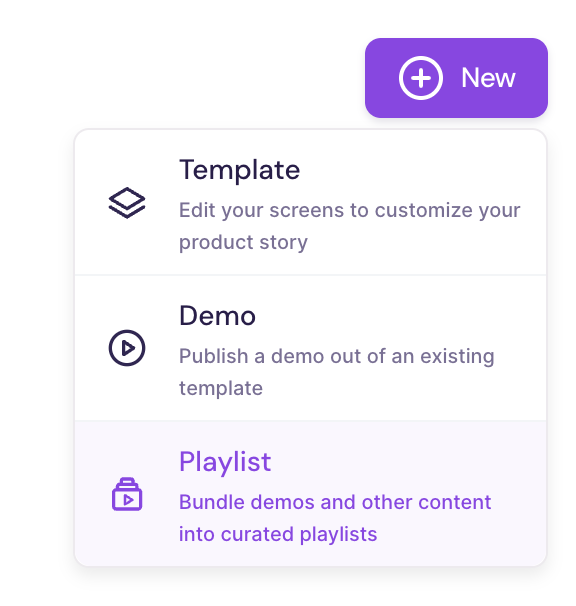
Feature status: Advanced Playlists are an add-on feature.Role access: Users with Admin, Editor, or Presenter roles can create Advanced Playlists when the feature is enabled.Location: You can create them from Walnut Library > New > Playlists.
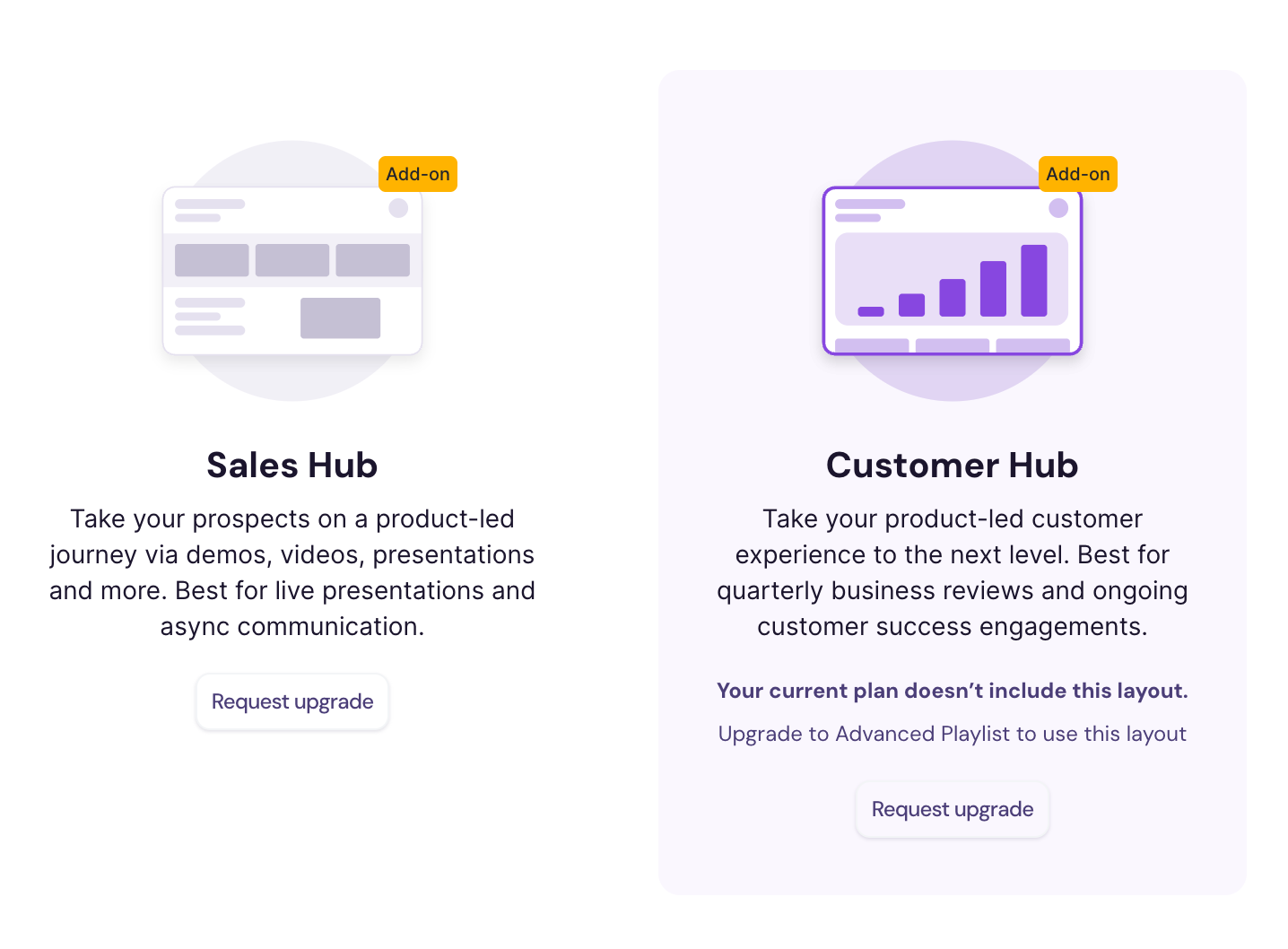
Good to know: If you see an Add-on label and a Request Upgrade option when selecting a layout, Advanced Playlists are not currently enabled for your workspace.
Key Features
Advanced Playlists are designed to support richer, more flexible content hubs than a standard Playlist alone.
Dynamic section types: Build content-rich layouts using Walnut demos, PDFs, videos, Google Docs, Office 365 files, dashboards, and custom embedded content.
Landing-page-style layouts: Create experiences that feel more like a branded microsite or hub than a stacked player.
Multiple pages: Split the hub across tabs — one page per product line, persona, or stage — with the same pages experience Deal Rooms have. See Add pages and in-hub search.
In-hub search: Give viewers a search box in the top bar that finds any content item across every page. See Add pages and in-hub search.
Full-width embeds: Display documents, dashboards, and external tools in a more immersive format.
Flexible section management: Add, remove, duplicate, and customize pre-built layout sections as needed.
Broader media support: Combine interactive demos with supporting content in a single destination.
Quick Start Guide
In the Walnut Library, click New.
Select Playlists.
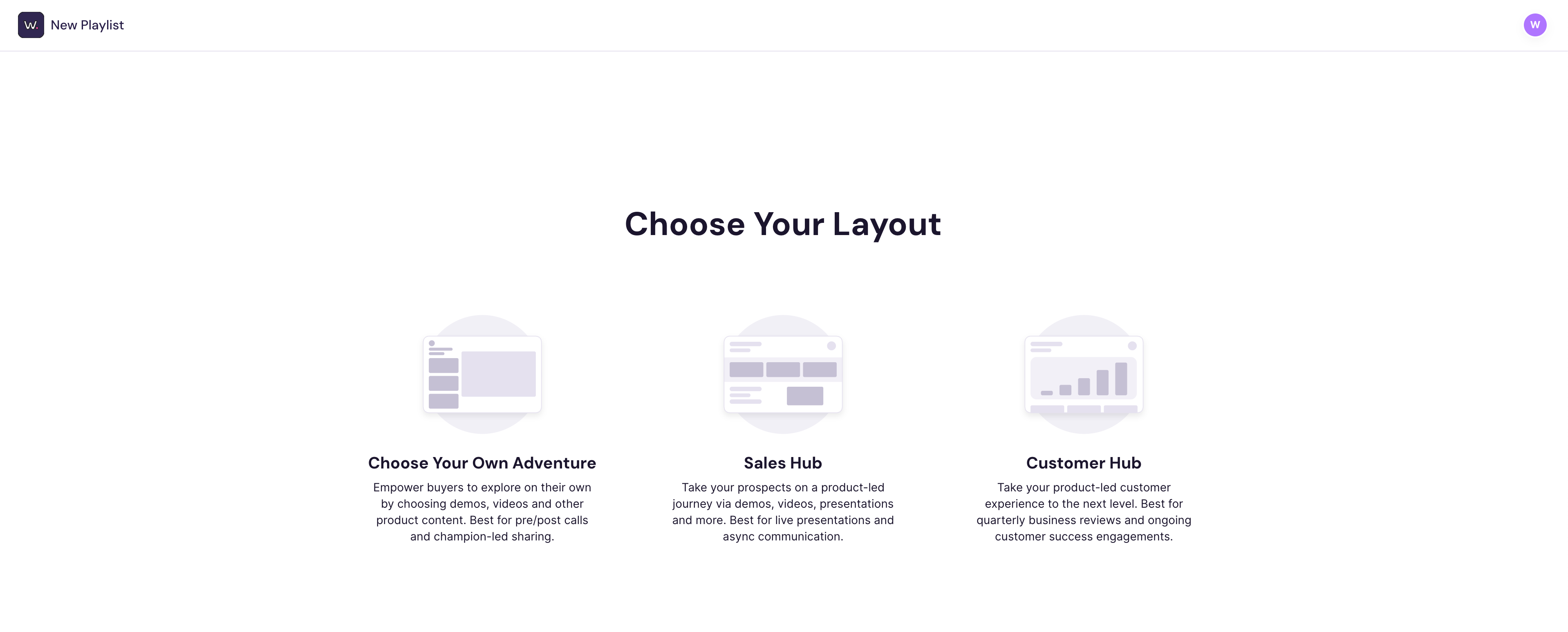
Under Choose Your Layout, select either Sales Hub or Customer Hub.
Add your content and customize the layout sections based on the experience you want to create.
Save and publish the Advanced Playlist when it is ready to share.
If the feature is not enabled, you can contact your Walnut Customer Success Manager or request an upgrade here.
Choose Your Layout
Walnut currently offers two Advanced Playlist layouts, each designed for a different stage of the customer journey.
Sales Hub
The Sales Hub is built for pre-sales engagement. It helps teams create polished, modular hubs that bring together product demos, technical overviews, supporting assets, videos, success stories, and competitive content in one place.
This layout works especially well for Solution Consultants, Sales Engineers, and other pre-sales teams that need a reusable destination they can tailor across prospects, verticals, or deal stages.
With support for rich media, embedded content, and broader document types, the Sales Hub is ideal when you want the experience to feel more like a branded destination than a traditional Playlist.
Best for:
Pre-sales content hubs
Solution overviews
Technical evaluation support
Reusable buyer-facing resource centers
Customer Hub
The Customer Hub is built for post-sales engagement. It helps Customer Success teams package usage data, success metrics, growth opportunities, demos, videos, documents, and dashboards into a more polished customer-facing hub.
This layout is especially useful for QBR-style experiences, customer education hubs, and ongoing success programs where you want a more structured, branded destination for customers to revisit over time.
By combining multiple content types in one place, the Customer Hub helps teams deliver a stronger post-sales experience that is easier to scale and easier for customers to navigate.
Best for:
Quarterly Business Reviews
Customer success hubs
Adoption and education workflows
Growth and expansion conversations
Structure a Large Hub
Once a hub grows past a handful of items, a single long page starts working against you — viewers scroll past the thing that was built for them.
Advanced Playlists support multiple pages, so you can give the hub a shape: one page per product line, per persona, or per deal stage. You can add, rename, reorder, and hide pages, and drag existing sections between them.
You can also turn on in-hub search, which puts a search box in the viewer top bar that fuzzy-matches every content item's title and description across every page. Picking a result jumps straight to the item and opens it expanded.
Both work on Advanced Playlists you have already created and published — there is no need to rebuild anything — and both are opt-in per hub.
👉 Learn more: Add pages and in-hub search
Advanced Playlists at a Glance
| Category | Details |
|---|---|
| Feature status | Add-on feature |
| Available layouts | Sales Hub and Customer Hub |
| Best fit | Landing-page-style hubs for pre-sales and post-sales workflows |
| Supported roles | Admin, Editor, Presenter |
| Media support | Walnut demos, PDFs, videos, Office 365 files, Google Docs, dashboards, and custom embeds |
| Navigation | Single page or multiple pages, with optional in-hub search |
Where to Find It in Walnut


See Advanced Playlists in Action
Related Resources
Playlist insights and analytics
Summary
Advanced Playlists give teams a more polished, flexible way to package and share content inside Walnut.
Unlike a standard Playlist, they are designed to feel more like a branded destination, making them especially useful when you want to combine demos, supporting assets, dashboards, and embedded content in a richer experience.
Use the Sales Hub for pre-sales engagement and the Customer Hub for post-sales success workflows when you want a more modular, landing-page-style format.
Final Takeaway:
Advanced Playlists are best when you need more than a linear content player. They help you turn demos, documents, dashboards, and supporting media into a stronger branded hub that is easier to share, easier to explore, and better suited for richer customer-facing experiences.