Duplicate a template
Duplicate a template
There are two ways to access the Duplicate option.
1. From the library
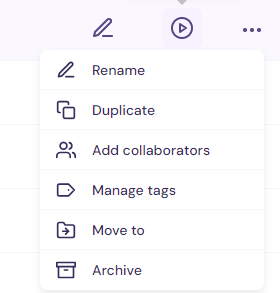
Open the library, hover over the row you want and click the 3 dots and from the dropdown select Duplicate.
2. Inside the template
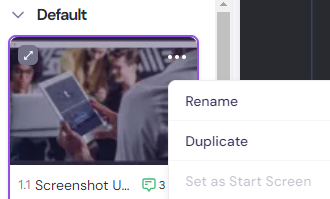
Open the template and on the left pane with the screen thumbnails, click the 3 dots and select Duplicate.
OR
Just right click the thumbnail.
For more on using templates, head over to the article Create demos part 1: create & share templates.
Was this helpful?