Export User Data
Export User Data
Overview
Workspace Admins can export user data directly from the Users page in Account Settings.
This makes it easy to review user activity, monitor adoption, and create a downloadable record of selected users in .csv format.
Exporting User Data
- Navigate to Account Settings > Users.
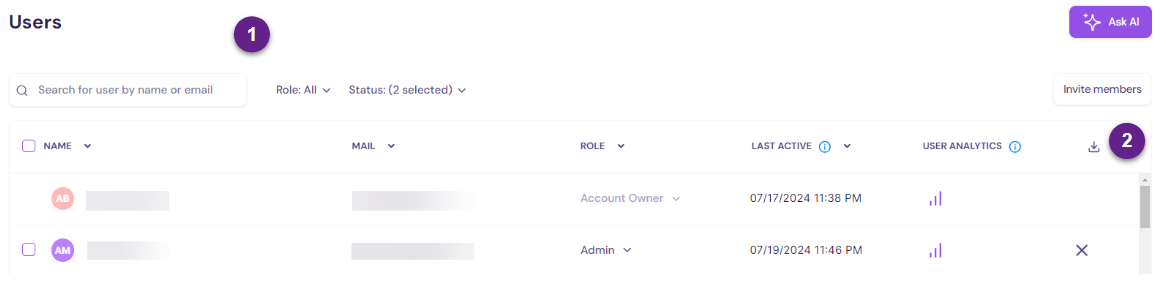
- Use the filters (#1) as needed to narrow your list by name, role, or status.
- Select the checkbox next to each user you want to include in the export.
- Once your selection is ready, click the download icon (#2).
- Walnut downloads a .csv file to your computer’s default download location.
Summary
Admins can export selected user data from the Users page in just a few clicks.
This export is useful for adoption reviews, access audits, activity tracking, and sharing workspace user data outside Walnut.
Was this helpful?