Enable cookie consent
Enable cookie consent
Overview
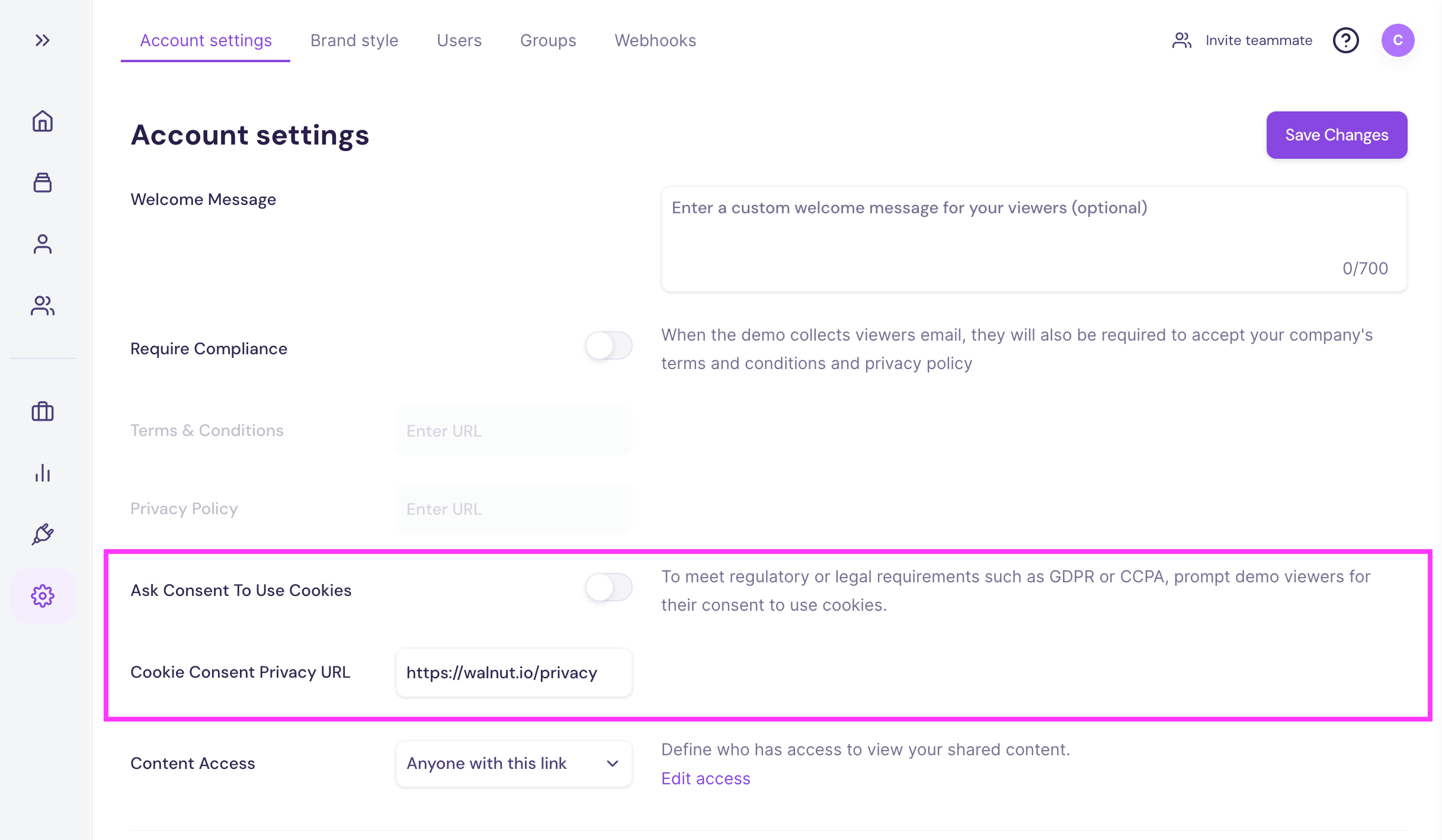
This guide covers everything you need to know about Walnut’s Cookie Consent setting — a critical feature for ensuring compliance with data privacy regulations such as GDPR. With cookie consent enabled, you can prompt demo, playlist, and deal room viewers to provide explicit consent before cookies are set, ensuring transparency and compliance.
Quick Start Guide
To enable and configure cookie consent:
- Go to Company Settings in Walnut.
- Navigate to the Access Control section in Account Settings.
- Toggle Ask Consent to Use Cookies setting to ON.
- The Cookie Consent Privacy URL field is prefilled with Walnut’s default cookie policy (https://www.walnut.io/privacy/). However, you can replace this with a link to your company’s own privacy or cookie policy page, if applicable.
- Click Save Changes to enforce cookie consent prompts across all demos, playlists, and deal rooms.
What Does the Cookie Consent Banner Look Like?
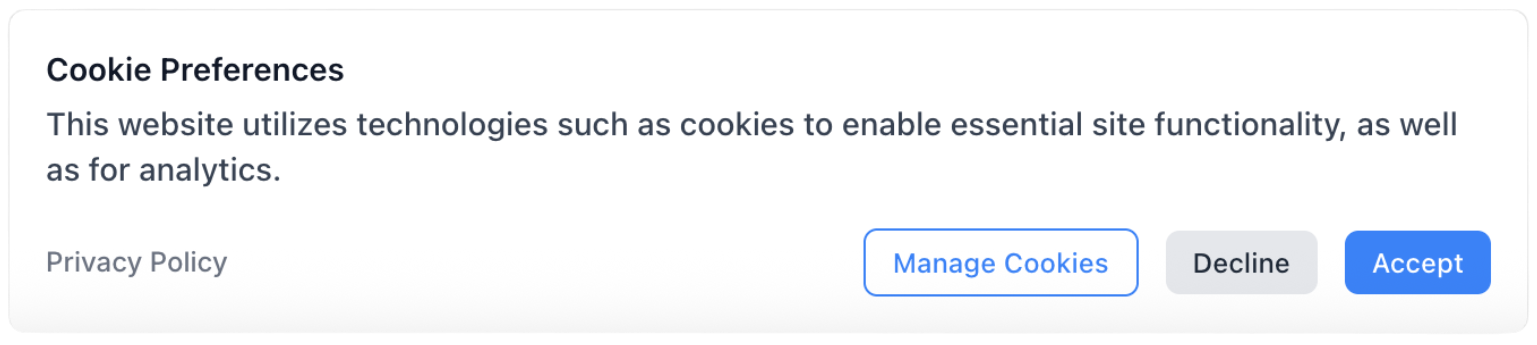
When enabled, viewers will see the following consent prompts:
- Main Cookie Consent Prompt – Requests permission to use cookies before the viewer can proceed.
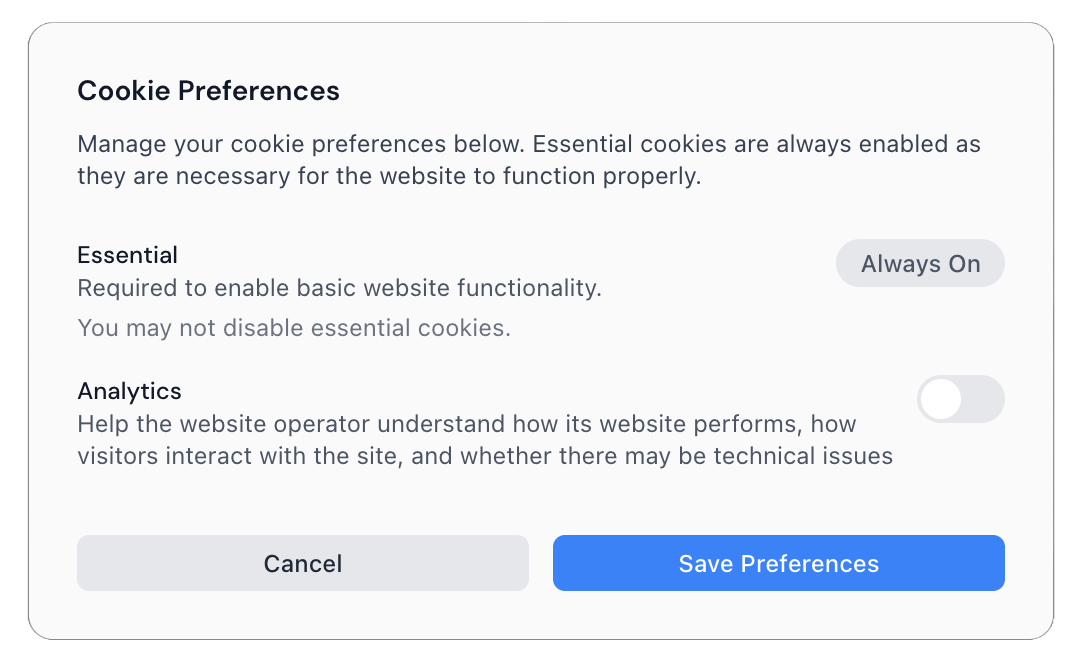
- Manage Cookies – Allows viewers to review and adjust their cookie preferences.
FAQs
Does Cookie Consent Apply to All Demos, Playlists, and Deal Rooms?
- Yes. Once enabled in Company Settings, Cookie Consent is enforced across all gated experiences.
What Happens If I Don’t Enable Cookie Consent?
- Your demos may still function, but you risk non-compliance with data privacy regulations in regions where cookie consent is legally required.
Can I Customize the Cookie Consent Message?
- No, the design of the cookie consent banner cannot be customized at this time. The visual appearance, including layout and style, is fixed. However, you can replace the linked privacy policy using the Cookie Consent Privacy URL setting in Company Settings.
Does Cookie Consent Apply Globally?
- The prompt is shown based on the viewer’s machine/computer time zone. If their device is set to a GDPR region, the consent prompt will appear automatically.
What Is the Default Setting for Ask Consent to Use Cookies?
- The default setting is off.
What Is the Default Cookie Consent Privacy URL?
- The default URL is: https://www.walnut.io/privacy/
Was this helpful?