Overview
Workspace Admins can export user data directly from the Users page in Account Settings.
This makes it easy to review user activity, monitor adoption, and create a downloadable record of selected users in .csv format.
You can export one user, multiple users, or a filtered set of users based on criteria like name, role, or status.
Exporting User Data
- Navigate to Account Settings > Users.
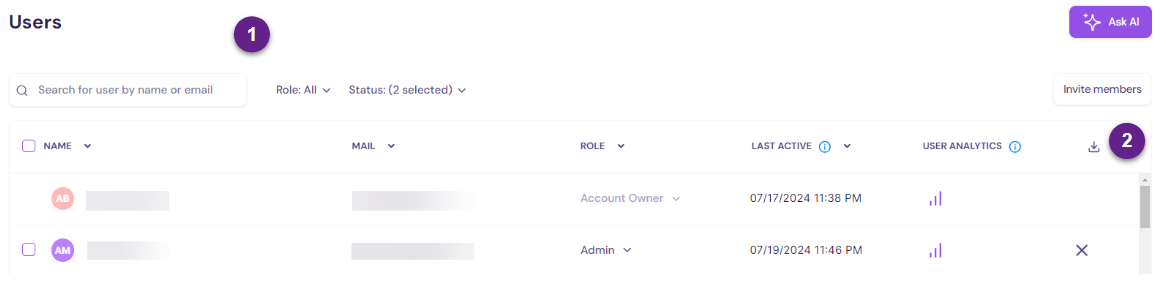
- Use the filters (#1) as needed to narrow your list by name, role, or status.
- Select the checkbox next to each user you want to include in the export.
- Once your selection is ready, click the download icon (#2).
- Walnut downloads a .csv file to your computer’s default download location.
The exported file includes:
- ID
- Name
- Role
- Last active date
- Demos created
- Templates created
- Average session duration (seconds)
- Demos played
Summary
Admins can export selected user data from the Users page in just a few clicks.
This export is useful for adoption reviews, access audits, activity tracking, and sharing workspace user data outside Walnut.